Meta App Review: How Long Does It Take?
The official answer is ~3 days for our complete preparation and submission, followed by Meta's review queue — typically 10–20 days (can be faster or take longer depending on Meta's volume). For apps with multiple permissions, if Meta requests adjustments on specific scopes, we handle the changes and re-apply at no extra cost, and each follow-up round follows the same 10–20 day review window. The real answer depends entirely on whether your submission gives reviewers everything they need — or whether you are about to restart the clock from zero.
Meta App Review How Long Does It Take? The Queue Is Only Half the Story
Meta app review how long it takes depends on the submission currently in the queue, and that clock only runs for that submission. Every rejection sends your case back to the start.
Meta app review how long a project takes is rarely just the queue. A project that looks like a two-week effort regularly turns into six weeks or more — not because the system is slow, but because the submission was not prepared to meet what reviewers need to see. Developers often discover which specific gap caused the rejection only after already waiting the full review period.
What Happens During the Review Period
Knowing these steps helps you estimate meta app review how long your own submission will take. Meta describes the process in its App Review documentation.
- Submission received and checked for completeness
Meta's system checks your submission for required elements — privacy policy URL reachability, screen recordings for each permission, use-case notes, and app mode configuration. Incomplete submissions may be flagged before reaching a human reviewer.
- Queue assignment and wait period
Your submission enters Meta's review queue. During high-volume periods, time before a reviewer opens the case can extend beyond the typical range.
- Screencast and justification review
A reviewer watches your screen recording for each permission and reads your use-case descriptions. If the reviewer cannot replicate the user flow or verify how data is used, the submission is rejected — often with brief feedback that leaves the exact issue unclear.
- Policy and compliance check
Your privacy policy URL is accessed and checked. For apps using Facebook Login, the data deletion setup is verified. App configuration, data handling language, and permission scope are checked against Meta Platform Terms.
- Decision and notification
Approvals activate the permission in Live Mode immediately. Rejections include a reason code. The next step — resubmission or rejection fix work — starts the clock over.
The 7 Real Reasons Meta App Review Takes Longer Than Expected
Most of the delay in meta app review how long a project takes comes from one of these seven gaps.
- Screencast does not show the complete user flowMost screencasts show the permission prompt but not the full path from login to actual data use. Reviewers need to verify every step a real user would take, for every permission in the submission. A partial recording is treated as an incomplete submission.
- Written justification does not match what the screencast showsIf your use-case description says one thing and the video shows another, reviewers cannot confirm compliance. This mismatch is one of the most reliable rejection triggers regardless of how well the individual elements are prepared.
- Privacy policy URL is missing, unreachable, or too genericThe URL must be publicly accessible via HTTPS, must cover the specific data collected by each requested permission, and must reference data deletion. A standard template privacy policy that does not mention your app's specific data use will not pass review.
- API calls not made within 30 days before submissionMeta requires that your app has made recent API calls within 30 days of the submission date. Apps in a dormant state or test environments that have been reset will fail this check before a human reviewer ever sees the rest of the submission.
- Too many permissions submitted in one roundSubmitting eight or twelve permissions at once means eight or twelve screencasts, justifications, and opportunities for a single reviewer to find an issue. One weak permission in the batch can hold up every other permission in the same submission.
- Data deletion URL missing or returning a 404For apps using Facebook Login, Meta requires a working Data Deletion Instructions URL or Callback URL in the App Dashboard settings. A missing or broken deletion URL will cause a rejection even when every other element in the submission is correct.
- App not properly configured for Live ModeApps must be in Live Mode to request permissions for all users. Development Mode restricts testing to role-based users only. Understanding the difference between Standard Access and Advanced Access in Live Mode is essential before submission — incorrect configuration triggers immediate rejection.
✓ What a Clean Submission Actually Looks Like
Meta app review how long a submission takes depends on these elements. Confirm each one before the developer clicks Submit, and check the current requirements in Meta's App Review submission guide.
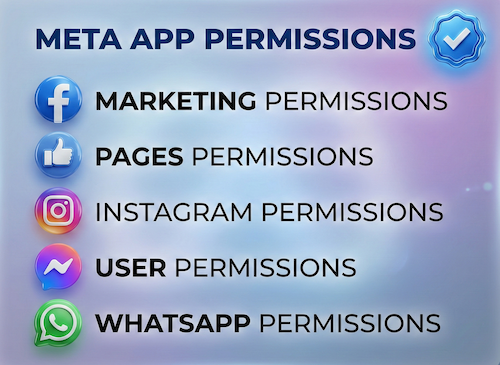
- Each permission has its own separate screen recording — not one video covering all permissions
- The privacy policy specifically names each data type collected and references data deletion
- API calls have been made within 30 days using Graph API Explorer or the app itself
- Only the minimum permissions needed at launch are included — not a future permission wishlist
- A working Data Deletion Instructions URL is set in App Dashboard under Facebook Login settings
- Business Verification is complete before submitting for any Advanced Access permissions
- The app is confirmed in Live Mode with the correct access level for the permissions being requested
Most developers discover these requirements only after their first rejection. Each rejection adds another full review cycle, so meta app review how long a project takes depends on getting the first submission right. Each cycle takes ~3 days for our complete preparation and submission, followed by Meta's review queue — typically 10–20 days (can be faster or take longer depending on Meta's volume).
Need Us to Get Your Meta App 100% Approved?
Stop losing weeks to repeated rejections. With 500+ apps approved, we handle your entire submission from start to finish. You get 100% Approval or a 100% Refund — and for your complete safety, you can hire us directly through Upwork or Fiverr Escrow (or use the WhatsApp / Calendar buttons in the header & footer).
Chat on WhatsAppFrequently Asked Questions about How Long Meta App Review Takes
Why does Meta App Review take longer than expected for some apps?
The review itself isn't usually the slow part; rejections are. Each rejection for an unclear use case, an incomplete screencast or a reviewer who can't log in sends you back to the queue. Getting the submission right the first time is what keeps the timeline short.
What is a realistic timeline if you handle it?
It takes ~3 days for our complete preparation and submission, followed by Meta's review queue — typically 10–20 days (can be faster or take longer depending on Meta's volume). For apps with multiple permissions, if Meta requests adjustments on specific scopes, we handle the changes and re-apply at no extra cost, and each follow-up round follows the same 10–20 day review window.
What if my app isn't approved within that time?
We work on a 100% Approval or 100% Refund basis: if we can't get your valid use case approved, you get a full refund.
Is it safe to hire you?
Yes. You can hire us through Upwork or Fiverr, so your payment stays in Escrow and is only released when the work is delivered. We've been doing this for 10+ years, with 500+ apps approved and 10,000+ permissions granted.