SocialVibe App Approval — Professional Installation & API Setup Service
Looking for a reliable SocialVibe App Approval service? We handle full SocialVibe installation, API configuration for all platforms, and social media app approval — so your script goes live fast and without complications.
Typical delivery: about 3 days for our complete preparation and submission, followed by Meta's review queue — typically 10–20 days (can be faster or take longer depending on Meta's volume). For apps with multiple permissions, if Meta requests adjustments on specific scopes, we handle the changes and re-apply at no extra cost, and each follow-up round follows the same 10–20 day review window. • Resubmission included if rejected
What Is SocialVibe?
SocialVibe is a social media management script for agencies and marketers that supports Facebook, Instagram, Twitter/X, and LinkedIn with post scheduling, analytics, and multi-client workspace management.
It provides a clean, focused interface for managing multiple client social profiles from a single dashboard. For the technical details, see Meta's permissions reference.
Getting a proper socialvibe app approval done correctly requires creating developer apps, configuring OAuth flows for each connected platform, setting up API keys, and in the case of Meta platforms, submitting apps for Advanced Access review.
Most script owners struggle with this multi-platform setup process — that is where our done-for-you service comes in.
Platforms Covered in the SocialVibe App Approval Service
As part of this service, we connect and configure the following platforms. Each platform requires its own developer account, API keys, and OAuth configuration — we handle all of it.
API Permissions Required for SocialVibe App Approval
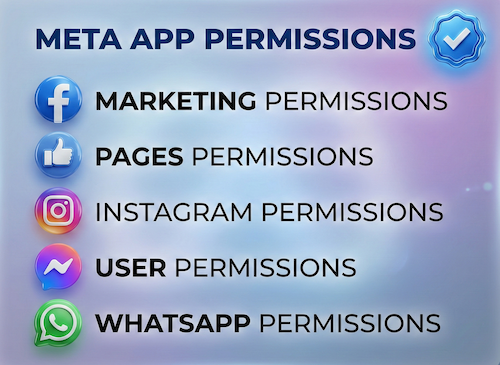
The key API permissions required for a successful SocialVibe submission are listed below.
Where Meta permissions are involved, our service includes preparing the necessary screencast demonstrations, policy documentation, and use-case descriptions to pass Meta's review process.
What's Included in the SocialVibe App Approval Service
Our service is a complete end-to-end solution. Here is exactly what you get:
Full SocialVibe InstallationInstall SocialVibe on your server or VPS, configure database, SSL, and environment.
Meta Developer AppCreate Meta Developer App, submit pages_manage_posts and instagram_content_publish for Advanced Access.
Instagram Analytics SetupConfigure instagram_manage_insights for post reach, impressions, and engagement data.
Twitter/X Developer AppRegister Twitter Developer App, configure OAuth 2.0 with tweet.write and w_member_social.
LinkedIn Developer AppSet up LinkedIn OAuth with r_liteprofile and w_member_social permissions.
Multi-Client WorkspaceConfigure multi-client workspace for agency use with proper account separation.
Advanced Access SubmissionSubmit all Meta permissions for Advanced Access review with screencasts and policy docs.
30-Day SupportPost-delivery support for 30 days for any API changes or configuration issues.
SocialVibe App Approval — Step-by-Step Process
Our service follows a structured, transparent process from start to finish.
Share server credentials, SocialVibe license, and social media account access.
Install SocialVibe on your server, configure database, SSL, and environment variables.
Create Meta Developer App, configure webhooks, submit Advanced Access for Facebook + Instagram.
Register Twitter Developer App and configure LinkedIn OAuth app.
Submit Advanced Access request for Meta permissions with screencasts.
Test all platforms and multi-client workspaces, then deliver with documentation.
The typical turnaround for a complete socialvibe app approval service is about 3 days for our complete preparation and submission, followed by Meta's review queue — typically 10–20 days (can be faster or take longer depending on Meta's volume). For apps with multiple permissions, if Meta requests adjustments on specific scopes, we handle the changes and re-apply at no extra cost, and each follow-up round follows the same 10–20 day review window.
What Clients Say About Our SocialVibe Service
SocialVibe configured for our agency with 15+ client accounts. All four platforms working perfectly. Great service.
Meta Advanced Access approved on first try. LinkedIn and Twitter setup done professionally. Smooth process throughout.
The Instagram analytics setup was exactly what we needed. All permissions configured correctly. Will definitely use again for future projects.
SocialVibe App Approval — Frequently Asked Questions
How long does the SocialVibe app approval service take?
Installation and non-Meta platform setup takes 1–2 business days.
Expect about 3 days for our complete preparation and submission, followed by Meta's review queue — typically 10–20 days (can be faster or take longer depending on Meta's volume). For apps with multiple permissions, if Meta requests adjustments on specific scopes, we handle the changes and re-apply at no extra cost, and each follow-up round follows the same 10–20 day review window.
Do I need a verified Meta Business Account for this service?
Yes. A verified Meta Business Manager is required for pages_manage_posts and instagram_content_publish Advanced Access.
What happens if Meta rejects the submission?
We rework the submission and resubmit at no additional cost until all permissions are approved.
Can SocialVibe be configured for agency use with multiple clients?
Yes. We configure SocialVibe's multi-client workspace so agencies can manage multiple client social profiles from one dashboard.
Ready to Get Your SocialVibe App Approval Done?
Our team handles everything from installation to API approval. Fast turnaround, transparent process, resubmission included if Meta rejects any permission.
To learn more about SocialVibe, visit the official SocialVibe website.