Get Your Instagram App
Approved by Meta
Expert Instagram App Review service for developers, SaaS platforms, and social media tools. I handle instagram_content_publish, Messenger API, and all Graph API permissions — end to end.
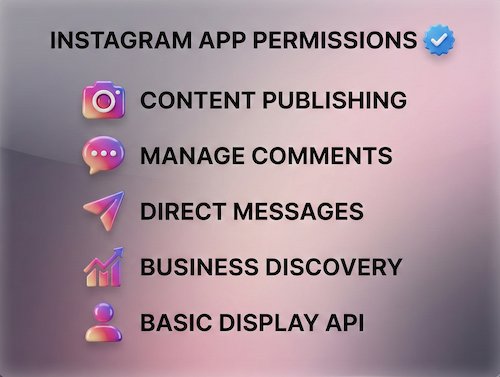
Instagram Permissions I Get Approved
From publishing to DMs to analytics — every Instagram Graph API permission your app needs, handled and approved.
Every Instagram API App Review is decided permission by permission, and the names depend on your login. Business Login for Instagram uses instagram_business_basic, instagram_business_content_publish, instagram_business_manage_messages and instagram_business_manage_comments; the Facebook Login setup uses instagram_basic, instagram_content_publish and instagram_manage_messages together with Page permissions.
Why Instagram App Review Gets Rejected
Most rejections are preventable. These are the Instagram Graph API-specific mistakes I see — and fix — every time.
Instagram App Review Service: My Process
A structured 8-step process built from 200+ approved Instagram apps. No guesswork.
What Clients Say
Real reviews from developers and teams who got their Instagram apps approved.
Every Instagram App Review service engagement starts with one question: which login flow does your product use? The Instagram API with Facebook Login and the Instagram API with Instagram Login need different setup and different permission names, so the plan has to match the flow before anything is submitted. Confirming that choice early also tells you which permissions belong in the request and which can wait.
With more than 10 years of experience in Meta API work and over 500 apps taken through review, the pattern is consistent. Most delays come from a mismatch between the account type, the login flow, and the screencast, not from the code itself. Settling those three points first avoids a full resubmission cycle. A short written checklist for each point, reviewed before the first submission, usually catches the problems that reviewers would otherwise return.
100% Approval Confidence: Having approved 500+ apps and 10,000+ permissions, we know exactly what Meta reviewers require to approve your app.
100% Money-Back Guarantee: If we cannot get your valid use case approved, you get a 100% refund (You don't pay if not approved).
Safe Escrow Payment: For your complete peace of mind, we accept orders via Upwork and Fiverr Escrow so your payment remains 100% protected until your permissions are approved.
Instagram App Review — FAQs
Straight answers to the questions developers ask most about getting Instagram Graph API permissions approved.
What is Instagram Graph API App Review?
Does my Instagram account need to be a Business or Creator account?
What permissions need Instagram App Review?
Can I automate Instagram posting through the API?
How long does Instagram App Review take?
Can you get instagram_manage_messages approved?
Do I need a webhook to get Instagram permissions approved?
What happens if my Instagram app gets rejected?
Is instagram_business_manage_messages the same as instagram_manage_messages?
instagram_business_manage_messages belongs to Business Login for Instagram and depends only on instagram_business_basic. instagram_manage_messages belongs to Facebook Login and depends on instagram_basic, pages_read_engagement and pages_show_list, according to Meta's Permissions Reference. Request, test and record the one that matches the login your app actually shows.Do Instagram DM apps need the Human Agent feature?
Does an Instagram Login app still need a Facebook Page?
instagram_basic and the Page permissions. Choose the setup first, because it decides which permissions you submit for review.Which Instagram Graph API permissions should my Instagram API App Review request?
instagram_business_basic plus the feature scope, such as instagram_business_manage_messages for DMs or instagram_business_content_publish for posting. Facebook Login apps request instagram_basic and the matching permission, such as instagram_manage_messages, along with the Page permissions it depends on, such as pages_show_list and pages_read_engagement. Unused permissions in a request are a common reason for rejection.Ready to Get Your Instagram App
Through Review?
Share your app details on WhatsApp. I'll check your account setup, review the permissions, and get it approved.
WhatsApp Me Now