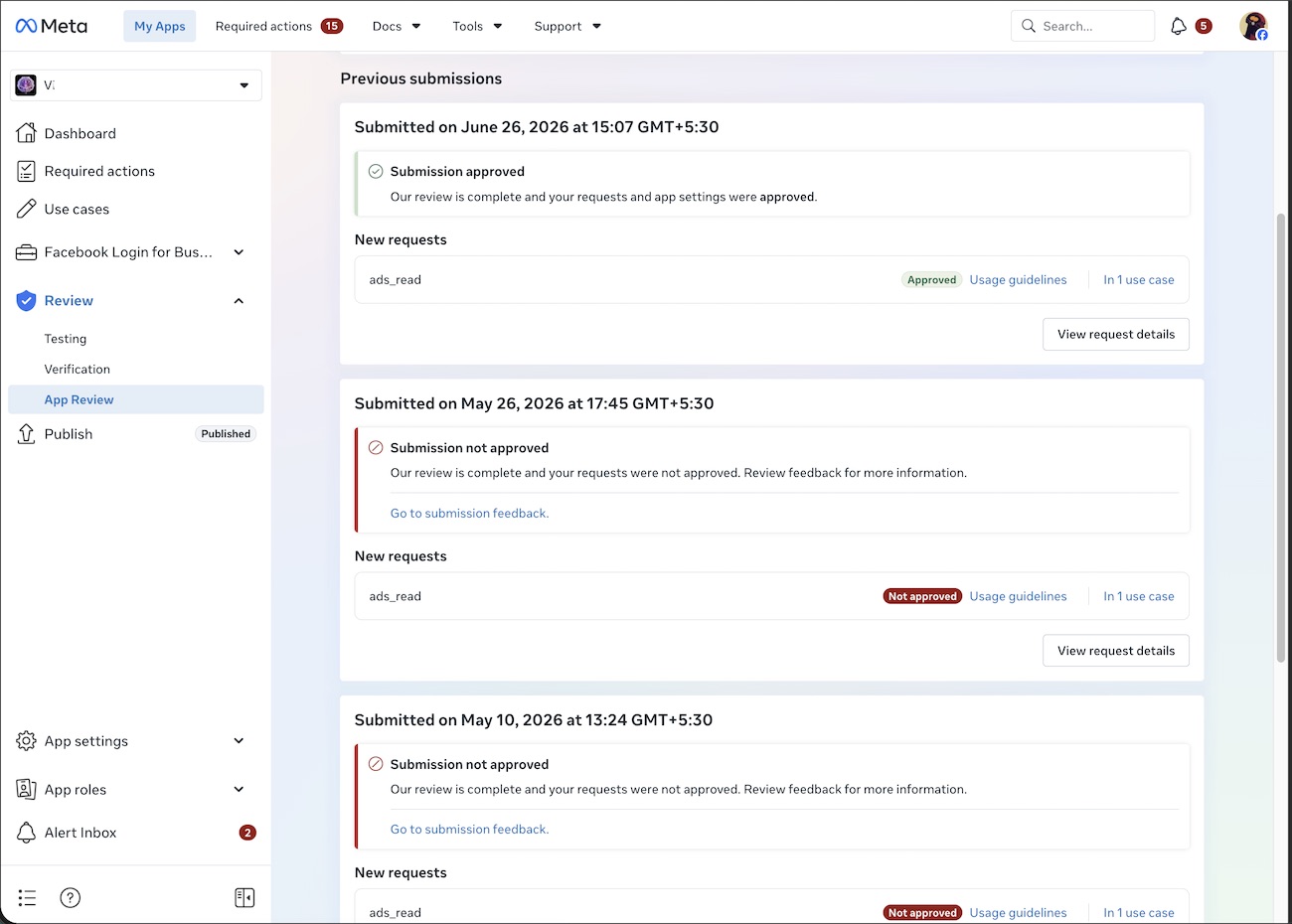
Same Client, New App: ads_read Permission Approved
Some time after we got Instagram API permissions approved for a client whose app had been rejected three times, the same client came back — this time with a completely different app. The new product was built around Facebook ad performance data, and it could not work without one specific Marketing API permission: ads_read.
This case study covers what ads_read actually involves, why a “single permission” submission is not as simple as it sounds, and what the review result was.
The starting situation
A brand-new app
Approval never transfers between apps. Even for a client with an approved app already, a new app starts App Review from zero.
One permission, full review
ads_read was the only permission needed — but Meta reviews it with the same scrutiny as a multi-permission submission, including a full screencast.
Advanced Access required
To read ad data from other people’s ad accounts, the app needed Advanced Access — which requires App Review and Business Verification, not just a toggle.
Ads data is sensitive
Spend, conversions and performance numbers are business-critical data. Meta rejects vague justifications for touching them.
What ads_read actually grants
Per Meta’s official Permissions Reference, the ads_read permission gives an app access to the Ads Insights API — pulling ads report information for ad accounts the app owner owns or has been granted access to — and to the Server-Side API, so advertisers can send web events from their servers directly to Facebook.
Its allowed usage is specific: providing API access to ad performance data for custom dashboards and analytics, and sending server-side web events. If the use case written in the submission doesn’t clearly match one of these, the review fails before the screencast is even judged.
Why ads_read submissions get rejected
The screencast standard
Meta requires the recording to show the complete Facebook Login flow, the user granting ads_read, and real ads performance data — impressions, conversions, spend, clicks, reach — actually displayed inside the app.
Demo environment problems
An ads dashboard usually needs a live ad account with real data to demonstrate. Setting up something a reviewer can verify is where most self-submissions fall apart.
Business Verification gaps
Advanced Access requires a verified business behind the app. Submitting before the business side is in order wastes a review round.
Use case mismatch
Descriptions copied from templates, or written around what the app might do someday, get rejected. The text has to match what the screencast shows.
How the project was handled (high level)
App and business setup check
We reviewed the new app’s configuration and the business connections behind it before anything was submitted.
Use case written to policy
The ads_read justification was written around Meta’s actual allowed usage for the permission — not around generic marketing language.
Reviewer-proof demonstration
The demonstration was prepared so a Meta reviewer could see the login, the permission grant, and live ads performance data displayed in the product.
Submission and follow-through
The submission was filed and monitored through review. The client’s only job was to grant access and wait for the result.
The result
Approved. The submission we prepared came back with ads_read granted — the client’s new app could pull ads reporting data for its users.
Common reasons ads_read gets rejected
- The screencast doesn’t show ads performance data actually rendered inside the app.
- The Facebook Login and permission-grant step is skipped or edited out of the recording.
- The use case description doesn’t match ads_read’s allowed usage (dashboards, analytics, server-side events).
- Business Verification isn’t completed for the Advanced Access request.
- The reviewer can’t reproduce the flow with the credentials or environment provided.
Returning clients are the quiet proof of how this service works: when the first project goes well, the second app comes back to the same desk. If your app needs ads_read or other Marketing API permissions, see our Facebook Ads API permissions guide or our Facebook App Review service.