Facebook Login Permissions: When email and public_profile Are Not Enough
Most Facebook Login integrations start cleanly — until you need one permission beyond the two auto-approved scopes and suddenly face a full Meta App Review process. Business-type apps handle login differently from the classic flow, so see why your app needs Facebook Login for Business and how config_id changes the setup. Here is exactly where the wall appears, what it takes to get through it, and where most submissions quietly fail.
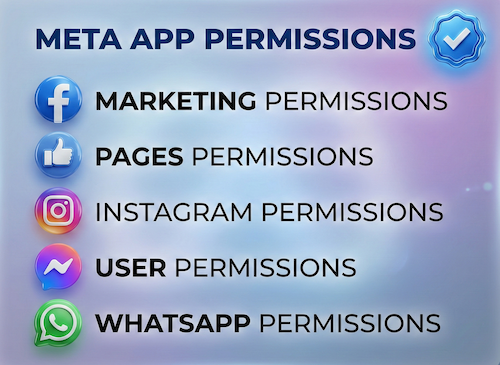
What Gets Auto-Approved vs What Triggers App Review
Auto-Approved — No Review Needed
email and public_profile are the only two Facebook Login permissions Meta grants automatically to every app. No submission, no waiting, no reviewer. These are the baseline every app gets without any review process.
Requires App Review — Everything Else
Any Facebook Login permission beyond those two requires Meta App Review before real users outside your development team can grant it. Messaging automation sits behind its own review gate, which is why chatbot SaaS tools get restricted on Messenger. This includes user_friends, user_birthday, user_gender, user_hometown, user_location, user_posts, user_photos, pages_manage_posts, and many more.
Why Getting These Facebook Login Permissions Approved Is Harder Than It Looks
Development Mode Hides the Problem
In Development Mode, all Facebook Login permissions work for team members and test users. Switch your app to Live Mode and any non-reviewed permission stops working for the public — with no obvious error, just missing data or failed API calls at runtime.
Business Verification Is a Gate, Not a Step
For most user-data permissions requiring Advanced Access, your legal entity must pass Meta Business Verification first. Company name, registration documents, domain, and business email must all align before App Review can progress.
Every Permission Needs Its Own Justification
Requesting user_birthday, user_hometown, and user_friends together means writing a separate, specific, demonstrable use-case for each. Meta reviewers assess each of your Facebook Login permissions independently — a strong case for one does not carry the others.
Minimum Permissions Is a Hard Requirement
Meta reviewers actively test whether each of your Facebook Login permissions is genuinely needed. Requesting user_gender and user_location when your app only displays a welcome message is a rejection trigger — not a misalignment they will overlook.
How the Review Process Works (Overview)
App Basics Must Be Complete First
App name, icon, privacy policy URL, and data deletion URL must be correctly set in App Dashboard. A missing privacy policy URL or data deletion URL causes submissions to fail before any human reviewer sees them.
Business Verification (Required for Advanced Access)
Most extended user-data permissions require your Meta Business Manager to pass Business Verification — legal entity name, registration documents, website domain ownership, and business contact all must align.
Submit Each Permission with Specific Justification
For each of your Facebook Login permissions beyond email and public_profile, you provide a use-case description, a screencast demonstrating the exact user flow where that permission is used, and data-handling clarifications. Generic descriptions are rejected outright.
Reviewer Tests Your Actual App Flow
Meta reviewers follow the screencast using a test account to verify that all claimed Facebook Login permissions are visibly, demonstrably used as described. Any mismatch between the justification, the screencast, and the live app causes rejection.
Ongoing Compliance After Approval
Approved Facebook Login permissions come with Annual Data Use Checkup obligations. Apps with Advanced Access for certain permissions require Ongoing Review to retain access. A failed checkup can suspend permissions even after initial approval.
Why Facebook Login Permission Submissions Get Rejected
- Requesting Facebook Login permissions the app does not demonstrably use — reviewers follow the flow and verify
- Generic justification text such as “to improve user experience” with no feature-specific detail
- Screencast does not clearly show every requested permission being actively used in the user flow
- Privacy policy URL is missing, unreachable, or does not reference the specific data types collected
- Data deletion URL not configured — required for all apps handling Facebook user data
- Business Verification not completed before requesting Advanced Access permissions
- App still in Development Mode at submission — Live Mode switch was overlooked
- Requesting consumer user-data scopes for a B2B tool — permission intent mismatch flagged by reviewer
- Resubmitting with identical justification after rejection without material changes to the use case
What a Properly Prepared Submission Looks Like
A complete Facebook Login permission submission covers the exact right permission set for the features built, privacy policy language matching each requested scope, a screencast showing every permission actively granted and used, Business Verification complete, and a use-case justification specific enough that the reviewer cannot question the need. That combination is what progresses through review.
For more context: see What Is Meta Advanced Access to understand the Standard vs Advanced Access distinction that determines which App Review track your permissions fall under. If a previous submission was rejected, the Meta App Review Rejection Fix service covers resubmission and recovery. For full Facebook App Review and permission approval support, visit the Facebook App Review Service page.
Need Us to Get Your Meta App 100% Approved?
Stop losing weeks to repeated rejections. With 500+ apps approved, we handle your entire submission from start to finish. You get 100% Approval or a 100% Refund — and for your complete safety, you can hire us directly through Upwork or Fiverr Escrow (or use the WhatsApp / Calendar buttons in the header & footer).
Chat on WhatsAppFAQ
Is Facebook Login for Business different from Facebook Login?
Yes. Classic Facebook Login asks for permissions with a scope list at login time. Facebook Login for Business uses a configuration, identified by a config_id, that bundles the permissions and the type of access token, including business system user tokens. Meta recommends it for apps that serve businesses, such as Tech Providers and SaaS tools.
Why does Facebook Login for Business show a config_id "supported permission" error?
The configuration usually includes a permission your app has not added to its use case, or one that is still at Standard Access while a non-role user is logging in. Add the permission to the app, get Advanced Access through App Review if customers will use it, then edit or recreate the configuration and use the new config_id.
Need Facebook Login Permissions Approved Beyond the Basics?
Getting past email and public_profile is where most developers stall. Proper submission prep — Business Verification, permission-specific screencasts, matching privacy policy, and policy-aligned justifications — is what moves App Review forward.