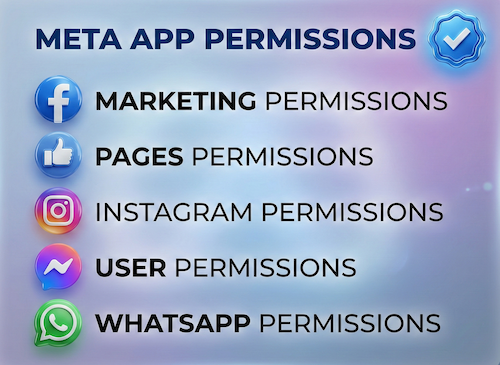
What The Meta App Review screencast actually is
The Meta App Review screencast is a screen recording you attach to your App Review submission. Meta is explicit: your submission must include recordings that demonstrate how to use your app to test every permission and feature you are requesting. Reviewers use your video as a guide to test the app themselves. If they cannot verify from the recording that your app genuinely needs a permission, that permission is not approved.
It is not a marketing demo and not a product tour. It is functional proof, recorded for a reviewer who has never seen your app and will not read a long explanation. The recording shows how to test each permission; the submission form separately asks why you need it.
What a reviewer needs to see in the video
Meta breaks the recording into three things the reviewer must observe for each permission in the submission. Miss any one of them and the permission can be rejected.
1. The complete login flow
From logged-out to logged-in. Log out of any test account first, then capture the entire sign-in, including any non-Facebook login your app uses.
2. Permission being granted
The business login button, the consent screen requesting that exact scope, and the user actually granting it — the full authorization flow, not a skip-ahead.
3. The data being used
The app user performing the action that requires the permission, and what the app does with that data — create, publish, read, view the result.
Every permission, no gaps
The recording must cover each permission and feature in the submission. Omit one and the reviewer cannot test it — that alone triggers a rejection.
Why The Meta App Review screencast is where submissions fail
The video looks simple, but it sits on top of a working, reviewer-reproducible environment — and that is what trips teams up. These are the complications that turn a screencast into weeks of resubmissions.
The reviewer must be able to reproduce it
Meta tests your app with their own accounts. The flow you record has to actually work for a fresh reviewer with a test user — not just on your machine with your data. A flow they cannot replicate is treated as unverifiable.
It has to prove the exact scope, visibly
Generic product walkthroughs that never clearly show the consent screen and the scope in action are the most common failure. Each permission needs its own clear, on-screen proof, ideally annotated so the reviewer sees precisely when it is used.
Accessibility rules are real rejection triggers
Recordings should use English UI or captions, high resolution, a visible cursor, no audio, and annotations on the key moments. If a reviewer cannot clearly see what is happening, they cannot verify it — and unverified means not approved.
Advanced Access raises the bar
Permissions that serve accounts you do not own need Advanced Access, which is granted only through a clean App Review. The Meta App Review screencast is the evidence that decides it. See our explainer on Meta Advanced Access for how this gate works.
How we prepare an approval-ready screencast
At a high level the work runs in a fixed order. Each stage has to be right before the recording matters — this is the part we handle for clients end to end.
Map every permission and feature in the submission so the recording plan covers all of them with nothing missing.
Stand up a reviewer-ready environment with working test users, so the exact flow can be reproduced cleanly by Meta.
Record each permission's full journey — login, consent screen, scope in use — in clear, high-resolution, annotated segments.
Pair every recording with a use-case justification that matches what the video shows, so the form and the proof agree.
Submit, track the review, and if a permission comes back, fix the exact reason and re-record only what is needed — without breaking approved scopes.
What a clean screencast gets you
A note worth setting expectations on: a strong screencast removes the avoidable reasons for rejection, but the final approval decision always rests with Meta. The goal of professional preparation is to give the reviewer no reason to say no.
Common reasons a screencast gets rejected
Need Us to Get Your Meta App 100% Approved?
Stop losing weeks to repeated rejections. With 500+ apps approved, we handle your entire submission from start to finish. You get 100% Approval or a 100% Refund — and for your complete safety, you can hire us directly through Upwork or Fiverr Escrow (or use the WhatsApp / Calendar buttons in the header & footer).
Chat on WhatsAppFAQ
How long should a Meta App Review screencast be?
Meta does not set a fixed length. Keep it as short as possible while showing the complete flow for each permission: login, granting the permission, and the feature that uses the data. For most apps that means a few minutes per permission. Cut loading screens and setup steps the reviewer does not need, and keep the cursor visible throughout.
Should I upload the video or share a link?
Upload the recording directly in the App Review form for each permission. A link that needs a login, has expired or is set to private can leave the reviewer unable to watch it, which leads to a rejection. Export a standard format such as MP4, check that it plays from start to finish, and keep the file small enough to upload.
What if my app uses a system user token and no login is visible?
Say so clearly. Meta's rejection notes ask server-to-server apps and apps using system user tokens to state this in the submission. Explain in the reviewer notes that there is no end-user login, then show in the screencast where the data appears in your product and how the business connected its assets to your app.
Screencast holding up your approval?
If your Meta App Review was rejected over the demo video, or you are not sure your recording proves the scope, I provide hands-on submission and screencast preparation — from a reviewer-ready environment to the final resubmission. See the Facebook App Review service or the App Review rejection fix service.
A Meta App Review screencast should show the complete permission journey. This Meta App Review screencast checklist helps reviewers verify every screen. Use the Meta App Review screencast recording to make the approval evidence easy to follow.
Approval support and submission preparation only. Final approval decisions rest solely with Meta.
Meta App Review screencast rejection checklist
Use this Meta App Review screencast guide to verify every permission. A complete Meta App Review screencast shows the login, consent, and data flow. Before resubmitting, compare your Meta App Review screencast with the reviewer checklist.