Meta Developer Policy 1.7 Violation (App Name): Expert Diagnosis
When Meta App Review returns Your app violates Developer Policy 1.7, reviewers are not nitpicking typography for sport. Meta’s App Review Rejection Guide states that App Review checks app details — including display name, icon, content, and submission details — to ensure the app experience does not confuse, deceive, defraud, mislead, spam, or surprise anyone who uses the app. Your app should provide the experience users would reasonably expect. This article grounds that rejection in the official Rejection Guide (including the adjacent Facebook Company Brand / naming rules), explains why app-name and icon mismatches fail, and why blind resubmits after a cosmetic rename often invite cooldowns.
What this rejection actually means
Per Meta’s Rejection Guide remediation for a Developer Policy 1.7 violation:
- Check that your display name and app icon are unique to your app and that you have the right to distribute the image used.
- Ensure that your display name and app icon accurately represent the app experience described in your submission details and experienced during reviewer testing.
- Update app details as necessary, then resubmit for App Review.
In parallel, the Rejection Guide documents a branding-specific outcome: “Your app is using Facebook's Company Brand in a way that is not permitted.” Brand assets must not imply partnership, sponsorship, or endorsement by Facebook or subsidiaries; must not be combined with or imitate Meta brand assets; and must not be named in a way that may be confused for Facebook or subsidiaries (the guide cites examples such as “FB Friend Smash,” “FVideo,” and “Friend Smash - Best FB Game”). Teams often receive Policy 1.7 wording when the deeper issue is a deceptive or confusing identity package — name, icon, and promised experience out of sync.
WHAT failed
Display name, icon, content, or submission details confuse or mislead relative to the experience reviewers actually get — or brand assets imitate / imply Meta endorsement.
WHY it matters
Trust starts at the OAuth dialog and App Center listing. A misleading name is treated as a product-integrity failure, not a marketing preference.
WHAT they expected
A unique, non-imitative name and icon that honestly represent the live app — matching submission details and reviewer testing without surprise.
Reviewer psychology: identity is part of the product
Reviewers open your app as a stranger. The first signals they see — Dashboard display name, login dialog title, icon, and the first screen after auth — set expectations. If the name implies an official Meta tool, a Facebook subsidiary product, or a capability the app does not deliver, the session starts with a deception flag even before permissions are exercised.
That is why Policy 1.7 pairs so often with branding failures. Names like “FBTool,” “InstaBoost,” or “MetaHelper” (patterns called out across practitioner writeups) invite rejection under Company Brand rules. Separately, a bland unique name that promises “AI Inbox” while reviewers land on a bare OAuth stub still fails Policy 1.7’s accuracy test. The common thread: surprise and mismatch are policy problems.
Identity issues also amplify recreateability and Login failures — see Facebook Login Button is broken and Unable to locate Facebook Login Button — because reviewers cannot trust that the labeled product is the one under test.
Technical nuances that trip capable teams
Across hundreds of Meta apps, Policy 1.7 / branding failures cluster around:
- Meta-adjacent naming — FB/Insta/Meta prefixes, “Official,” “Verified Partner,” or logo marks that imitate Facebook/Instagram glyphs.
- Name vs. experience gap — display name and submission details describe a finished suite; reviewers find onboarding walls, placeholders, or a different product (overlaps does not accurately reflect final UX).
- Icon rights / reuse — stock icons identical to other apps, or imagery you cannot distribute.
- Multi-surface inconsistency — Dashboard name ≠ OAuth dialog name ≠ website header ≠ screencast title.
- Bait-and-switch scopes — name implies messaging while you only show public analytics (also adjacent to Disallowed Use Case Details).
Official references:
- Meta App Review Rejection Guide — Developer Policy 1.7 + Company Brand sections
- Meta Developer Policies — Build a trustworthy product (do not confuse, deceive, or mislead; follow brand guidelines when using logos)
- Meta Brand Resource and Permissions Center / Logos and Trademarks requirements (linked from Developer Policies)
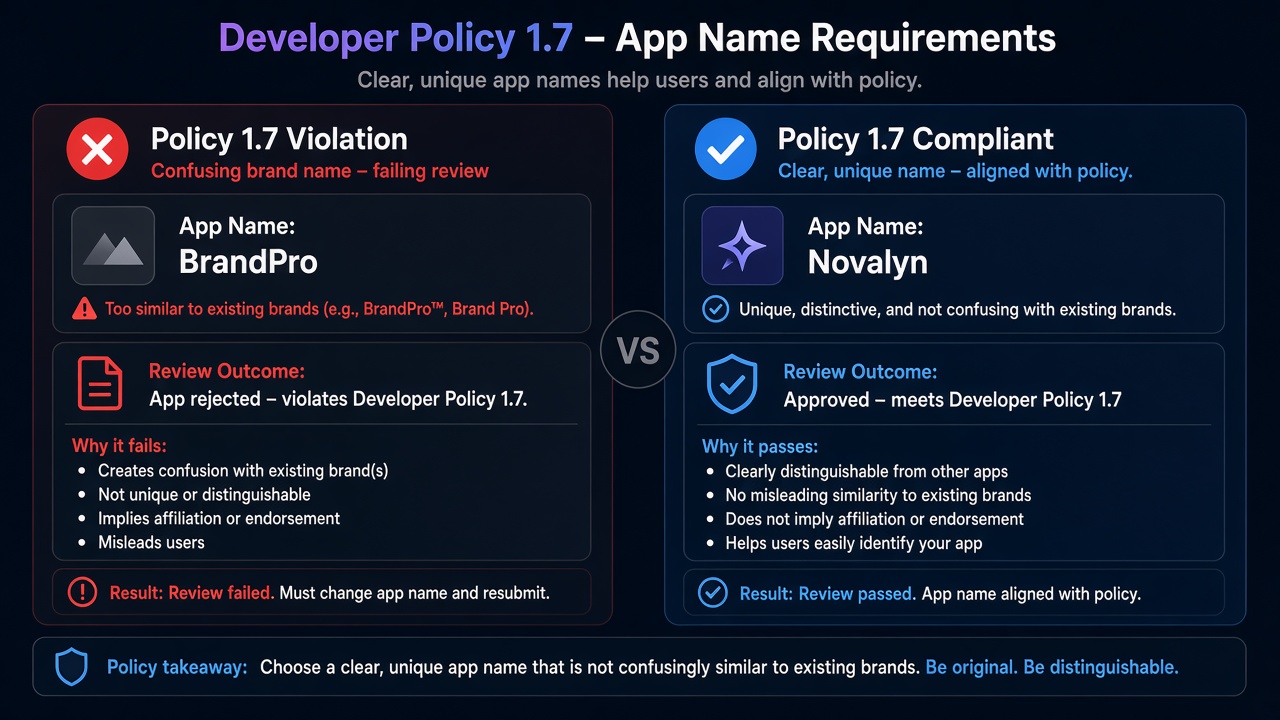
Blind resubmission risk: Practitioner experience across hundreds of apps shows that teams often resubmit after only renaming the App Dashboard field — leaving the same imitating icon, the same “official Meta” marketing site, or the same mismatch between promised and actual UX. Those retries fail Policy 1.7 again and frequently contribute to automated submission cooldowns that can lock review buttons for up to 7 days. Fix the full identity + experience package once; do not burn cycles on cosmetic-only edits.
Expert Diagnosis framework (not a DIY paste template)
Every brand system, white-label setup, and agency portfolio is unique. There is no safe universal “approved app name list.” Specialists diagnose first:
Audit identity surfaces end-to-end
Dashboard display name, icon, OAuth dialog, website, store listing, and screencast titles — all must tell one non-imitative story.
Separate branding imitation from experience deception
Company Brand violations need unique naming/assets. Policy 1.7 accuracy needs the live product to match what those assets promise.
Align submission details to the renamed reality
Update notes and screencast only after the honest name and working experience are already true in production/test builds.
Resubmit once with intact evidence
One coherent identity package beats three rename retries. Cooldowns punish volume; reviewers reward clarity and honesty.
Managed help: Facebook App Review service. Patterns: case studies. Related reads: Platform Policy 8.9, Unable to Approve Permission Request.
Free 15-Minute Meta Rejection Audit
Share your rejection note, current app display name/icon, and a screenshot of the first post-login screen. We will separate branding imitation from experience mismatch before your next submit.
Strategy second.
What not to do after this rejection
- Do not only rename the Dashboard field while keeping Meta-imitating icons or “official partner” claims.
- Do not resubmit the same mismatched screencast under a new title.
- Do not pack SEO keywords like “FB” or “Instagram Official” into the display name.
- Do not treat Policy 1.7 as unrelated to final-UX readiness — surprise is the common failure mode.
Make the name uniquely yours. Make the experience match that name. Then submit once.
Need Us to Get Your Meta App 100% Approved?
Stop losing weeks to repeated rejections. With 500+ apps approved, we handle your entire submission from start to finish. You get 100% Approval or a 100% Refund — and for your complete safety, you can hire us directly through Upwork or Fiverr Escrow (or use the WhatsApp / Calendar buttons in the header & footer).
Chat on WhatsAppFAQ
Is Developer Policy 1.7 the same as the Facebook Company Brand rejection?
They are related but not identical. Meta’s Rejection Guide has a separate branding outcome when names, logos, or descriptions imply partnership or imitate Meta assets. Policy 1.7 focuses on confusing, deceiving, or misleading experiences — including display name and icon that do not match what reviewers see. Many apps trip both.
Will changing only the App Dashboard display name fix Policy 1.7?
Only if the icon, store listing, OAuth dialog name, and live product now tell the same honest story. A renamed Dashboard field with a misleading icon or bait-and-switch onboarding still fails.
Can I use “FB,” “Insta,” or “Meta” in my product name?
Meta’s Rejection Guide branding section rejects names that may be confused for Facebook or subsidiaries (examples historically include patterns like “FB Friend Smash” or “FVideo”). Follow Brand Resource guidelines; uniqueness and non-imitation matter more than clever SEO naming.
Do blind resubmits after a 1.7 rejection risk cooldowns?
Yes. Cosmetic renames without fixing the mismatch between promised and actual experience often fail again, and rapid retries can lock App Review submission controls for up to 7 days.
Amandeep Singh — Meta API Expert
10+ years helping product teams through Meta App Review, Business Verification, and Advanced Access. 500+ apps guided; 10,000+ permissions handled across Facebook, Instagram, WhatsApp, and Marketing API surfaces. Focus: policy-aligned proof, not hype.
Still stuck on Developer Policy 1.7? Get a focused read on your rejection before the next submit.
Book Free 15-Minute Meta Rejection Audit on WhatsApp